Top AI Tools for Game Development – Level Up Your Game Today
Published: 14 Jan 2026
Why do so many game developers rely on AI tools for game development today? The answer is simple: these tools make coding, animation, and testing easier and faster. Without them, teams spend long hours on repetitive tasks that slow creativity.
By using AI tools, developers can focus on storytelling and gameplay design. I have seen teams finish projects in half the usual time by choosing the right tools. Learning how to use them correctly can change how you develop games.
In this article, we’ll explore the most useful AI tools for game development and show how they help with coding, NPC behavior, and game design.
Top 10 AI Tools for Game Development
AI tools for game development are changing the way games are made. By using AI tools, teams can focus on creativity and deliver better games in less time. They are useful for both big studios and indie developers.
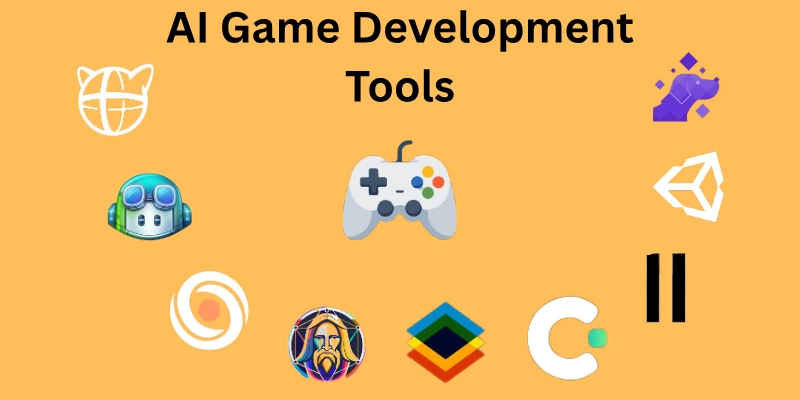
Here is the list of all the top AI tools for game development:
- Scenario AI
- ElevenLabs
- Unity ML‑Agents
- DeepMotion
- Ludo.ai
- Roblox Mesh Generator API
- GitHub Copilot
- Cascadeur
- Leonardo AI
- Charisma AI
Let’s look at them in detail.
1. Scenario AI
Scenario AI is an AI-powered tool that helps game developers generate 3D assets, textures, and props quickly from simple text prompts. It allows designers to experiment with different art styles and environments without spending hours on manual creation.
Developers can speed up their workflow and maintain a consistent visual style across levels. The tool is particularly useful for teams that need high-quality content in less time. It integrates easily with popular game engines and supports rapid prototyping.
Why It Stands Out:
- Speeds up asset creation without manual modeling.
- Supports multiple art styles for flexibility.
- Integrates seamlessly with Unity and Unreal Engine.
- Enables rapid testing of visual ideas.
Pricing:
- Free Plan: Limited
- Starter Plan: around $15/month
- Pro Plan: around $45/month
- Max Plan: around $75/month
Current pricing is available on the official site and may change without notice.
2. ElevenLabs
ElevenLabs is an AI-driven voice generation tool that creates realistic and expressive speech from text. Developers can produce character dialogues, narration, or in-game instructions without recording multiple voice actors.
It supports a wide range of voices, accents, and emotions, giving NPCs more personality. The tool allows rapid iteration and testing of voice lines, saving time in the development process. It works with most game engines and audio production workflows.
Why It Stands Out:
- Generates high-quality, lifelike voices quickly.
- Offers a variety of accents and speech styles.
- Enables fast iteration of dialogue lines.
- Integrates easily into game engines and audio workflows.
Pricing:
- Free plan: available
- Starter plan: around $5/month
- Creator plan: around $11/month
- Pro plan: around $99/month
Pricing may change, so check the official site of ElevenLabs for the latest details.
3. Unity ML‑Agents
Unity ML‑Agents is an AI toolkit that allows developers to create intelligent and adaptive game agents. It uses reinforcement learning to train characters, enemies, and NPCs to behave realistically in different game scenarios. Developers can simulate environments and test multiple behaviors quickly, reducing development time.
The tool integrates seamlessly with the Unity engine, making it easy to add smart AI to games of any genre. It helps both indie developers and large studios create more engaging and dynamic gameplay experiences.
Why It Stands Out:
- Trains NPCs and agents using reinforcement learning
- Allows realistic and adaptive character behaviors.
- Speeds up testing and iteration of AI behaviors.
- Integrates fully with the Unity engine.
Pricing:
- Free Plan: Available
- Pro Plan: Per month/$200
- Enterprise Plan: Custom Pricing
- Industry Plan: Custom Pricing
Always check the official Unity website for pricing plans because subscription costs and AI service tiers can change without notice.
4. DeepMotion
DeepMotion is an AI-powered animation tool that helps game developers create realistic character movements without manual keyframing. It converts video footage or simple motion input into clean 3D animations that work well in games.
Developers can animate characters faster while keeping natural body motion and balance. The tool supports common 3D formats, which makes it easy to use with popular game engines. It is especially helpful for teams that want quality animation without a large animation budget.
Why It Stands Out:
- Converts video into realistic 3D character animation.
- Removes the need for complex motion capture setups.
- Produces natural and physically accurate movement.
- Supports easy export to game engines.
Pricing:
- Free plan: limited features
- Starter plan: around $9 annual
- Professional plans: around $39 annual
- Studio Plan: around $83 annual
Prices may change without notice. Refer to the official website for current details.
5. Ludo.ai
Ludo.ai is an AI-powered game research and ideation tool designed to help developers plan better games. It analyzes market trends, player interests, and existing games to suggest new concepts and mechanics.
Developers can use it to validate ideas before production and reduce the risk of building unpopular games. The tool also helps teams discover feature gaps and genre opportunities. It is especially useful during the early stages of game development.
Why It Stands Out:
- Analyzes market data to guide game ideas.
- Helps validate concepts before development starts.
- Identifies trends and player preferences.
- Supports faster decision-making in planning.
Pricing:
- Free plan: limited searches and insights
- Indie plan: $20/month
- Pro Plan: $50/month
- Studio Plan: $250/month
Prices can change, so be sure to visit the official site for the latest updates.
6. Roblox Mesh Generator API
The Roblox Mesh Generator API is an AI-powered tool that enables developers to create 3D meshes from simple text or image inputs. It allows creators to generate game-ready objects quickly without manual modeling.
The tool helps speed up content creation while keeping assets optimized for the Roblox platform. Developers can use it to prototype environments and items faster. It works directly within the Roblox ecosystem, making integration simple.
Why It Stands Out:
- Generates 3D meshes automatically from prompts
- Reduces the need for manual 3D modeling
- Produces assets optimized for Roblox games
- Speeds up prototyping and world-building
Pricing:
- Included with Roblox Studio and Creator tools
- No separate pricing for the API as of now
- Usage limits may apply based on Roblox policies
Pricing access may change, so check the official site for the latest details.
7. GitHub Copilot
GitHub Copilot is an AI coding assistant that helps game developers write cleaner and faster code. It suggests complete functions, logic patterns, and fixes directly inside the code editor. Developers can use it to build gameplay systems, handle mechanics, and reduce time spent on debugging.
The tool supports multiple programming languages commonly used in game development. It fits naturally into daily workflows without disrupting existing processes.
Why It Stands Out:
- Provides real-time code suggestions inside editors.
- Supports multiple game development languages.
- Helps reduce coding errors and syntax issues.
- Speeds up the implementation of gameplay features.
Pricing:
- Free Plan: available
- Team Plan: $4 per month
- Enterprise Plans: $21 per month
For the most up-to-date pricing, please refer to the official website.
8. Cascadeur
Cascadeur is an AI-assisted animation tool built for creating realistic character movement. It helps developers animate characters by applying physics-based motion and automatic pose correction.
The software allows animators to focus on timing and action instead of manual adjustments. It works well for action scenes, jumps, and combat animations. Cascadeur supports common 3D formats, making it easy to integrate into game development pipelines.
Why It Stands Out:
- Uses physics-based calculations for natural motion.
- Automatically adjusts poses for balance and weight.
- Reduces manual effort in complex animations.
- Supports smooth export to major game engines.
Pricing:
- Free version: available with limited features
- Indie plan: around $13 per month
- Pro plan: around $34 per month
- Team Plan: $49 per month
Pricing is not guaranteed and may change, so visit the official website for updates.
9. Leonardo.AI
Leonardo. AI is a creative AI tool that helps game developers produce high-quality visual content quickly. It allows users to generate characters, environments, textures, and UI elements from text prompts.
Developers can maintain a consistent art style across their games without hiring large art teams. The tool supports fast experimentation, which makes it ideal for early design and concept phases. It works well for both indie projects and large-scale productions.
Why It Stands Out:
- Creates game-ready visuals from simple prompts.
- Maintains consistent art styles across assets.
- Speeds up concept art and visual design.
- Reduces reliance on large art teams.
Pricing:
- Free plan: Available
- Paid plans: around $10 per month
- Higher tiers offer more credits and features
Pricing may change, so check the official site for the latest details.
10. Charisma AI
Charisma AI is an interactive storytelling platform designed to create emotionally engaging characters in games. It helps developers build story-driven NPCs that react to player choices in real time.
The tool focuses on dialogue depth, personality, and narrative flow rather than simple scripted responses. Developers can shape branching stories without writing complex logic by hand. It works well for narrative games, RPGs, and interactive experiences.
Why It Stands Out:
- Builds story-focused characters with emotional depth.
- Supports branching dialogue and player-driven narratives.
- Reduces manual scripting for complex storylines.
- Enhances immersion through reactive storytelling.
Pricing:
- Free plan: limited characters and story depth
- Paid plans: pricing varies based on usage and features
- Custom plans available for studios and large projects
Prices may vary over time; always check the official site for the most accurate information.
How AI Supports the Game Development Process
AI plays a key role at every stage of game development, helping teams work faster and smarter. It can assist with ideas, coding, animation, and testing, making production smoother.
- Pre‑Production: Generates game ideas, character concepts, and world layouts.
- Asset Creation: Produces 3D models, textures, animations, and visual effects.
- Programming: Suggests code snippets, fixes errors, and accelerates scripting.
- NPC Behavior: Creates intelligent AI opponents, allies, and dynamic game systems.
- Testing, QA & Optimization: Automates bug detection, balance checks, and performance improvements.
- Game Operations: Helps translate content, adapt assets, and manage global releases.
Using AI at multiple stages allows developers to focus on creativity while reducing manual workload and speeding up production.
Conclusion
In this guide, we explored the top AI tools for game development and how they can transform the way games are created. From coding assistants to animation and voice generation, these tools save time and help teams focus on creativity. Personally, I recommend starting with tools that match your workflow so you can see immediate improvements.
Experimenting with multiple tools can also help you find the best combination for your project. By integrating AI tools for game development wisely, you can deliver richer, more polished games faster and more efficiently.
FAQs
Here are some frequently asked questions related to the AI tools for game development.
AI tools for game development come in different types to assist every stage of production. These include:
- Code generation assistants to speed up scripting
- Animation and motion capture tools for realistic movement
- Voice-over tools for NPC dialogues
- Asset generation tools for textures, 3D models, and environments
Using a mix of these tools can dramatically improve productivity and creativity.
AI tools for game development are designed to assist, not replace humans. They handle repetitive and time-consuming tasks, but creative decisions, storytelling, and gameplay design still require human input. The best results come from combining AI capabilities with developer expertise.
AI tools can create smarter, more responsive NPCs that adapt to player actions. Developers can use:
- Reinforcement learning for adaptive enemy AI
- Behavior trees for allies and companions
- Dialogue AI for interactive conversation
These tools make gameplay more immersive and challenging for players.
Most AI tools for game development support popular engines like Unity and Unreal Engine, but compatibility depends on the export format. Common supported formats include FBX, OBJ, and PNG for models and textures. Always check integration options before selecting a tool.
AI tools provide assets with commercial licenses, but it’s essential to check usage rights. Always review the tool’s terms of service to ensure you can legally use generated characters, models, or dialogue in published games.
Yes, AI tools for game development can automate quality assurance tasks. They can:
- Detect bugs and glitches in gameplay
- Test multiple scenarios simultaneously
- Suggest optimizations for performance
This reduces manual testing time and improves game stability.
Selecting the right AI tools depends on your project’s goals and workflow. Consider:
- The game engine you are using
- Specific needs like animation, coding, or voice-over
- Budget and team size
- Integration and learning curve
Experimenting with free trials can help determine which tools provide the most value for your development process.





- Be Respectful
- Stay Relevant
- Stay Positive
- True Feedback
- Encourage Discussion
- Avoid Spamming
- No Fake News
- Don't Copy-Paste
- No Personal Attacks
- Be Respectful
- Stay Relevant
- Stay Positive
- True Feedback
- Encourage Discussion
- Avoid Spamming
- No Fake News
- Don't Copy-Paste
- No Personal Attacks
