10 Best AI Audio Tools for Effortless Voiceover Creation
Published: 6 Feb 2026
Why do so many people struggle with audio when AI audio tools already exist? Many creators still edit audio by hand and lose hours on simple tasks. AI audio tools solve this problem by turning complex audio work into easy steps.
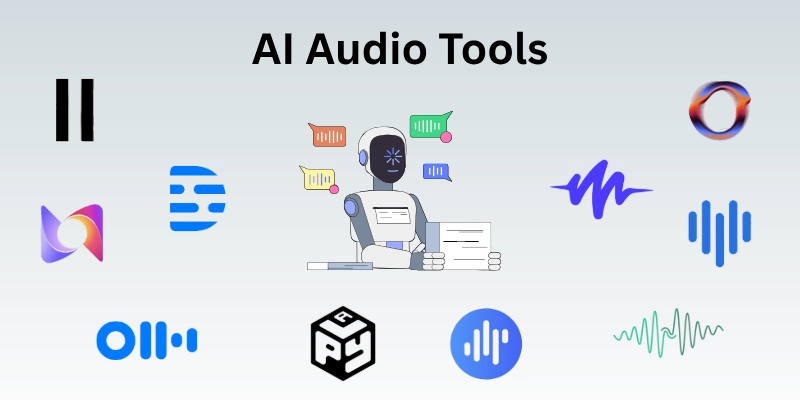
They help users record better voices, fix noise, and convert speech to text. Students and beginners now use these tools without technical knowledge. Audio creation feels simpler because AI handles the heavy work in the background.
In this article, we explore 10 of the best AI audio tools to help them create, edit, and manage audio with ease.
Best AI Audio Tools
Audio creation keeps changing, and creators now need smarter ways to work with sound. I’ve tested multiple AI audio tools in real projects, and some truly improve voice quality, save editing time, and simplify production.
Here are the tools that can make a real difference in your audio workflow:
1. ElevenLabs
ElevenLabs delivers natural-sounding speech using advanced voice modeling. It turns written content into realistic narration within seconds. Creators use it for videos, lessons, and storytelling projects. The platform supports multiple languages with smooth tone flow. Audio output feels human, not robotic or flat.
Key Features
- Lifelike voice generation quality
- Multiple language support options
- Advanced voice cloning feature
- Fast text conversion speed
Best for: creators who need realistic voice output.
Pricing: Free tier available; paid plans start from a monthly subscription with extended usage limits
2. Descript
Descript transforms sound editing into a text-based process that feels simple and fast. It allows users to modify recordings by editing written scripts. The platform supports podcast creation, video narration, and learning content. Built-in enhancement improves clarity without manual adjustment. Workflow becomes smoother even for beginners with no technical background.
Key Features
- Text-driven audio editing system
- Automatic speech transcription accuracy
- Studio sound enhancement tool
- Screen and voice recording support
Best for: beginners and podcasters who want quick edits through text
Pricing: free version is available, paid plans begin with monthly upgrades for advanced controls
3. Murf.ai
Murf.ai offers polished voiceovers designed for presentations, lessons, and media clips. It converts scripts into expressive speech with controlled pacing and tone. Users adjust pitch, emphasis, and pauses directly inside the editor. The interface feels clean and works well for quick production needs. Results sound professional without requiring recording equipment.
Key Features
- Studio-quality voice output
- Tone and pitch controls
- Script-based narration editor
- Commercial usage rights
Best for: Content creators and businesses needing clean voice narration.
Pricing: Limited free access available, premium plans unlock full voices and export options
4. Otter.ai
Otter.ai converts spoken conversations into clear, searchable text. It records meetings, interviews, and discussions in real time. Users can highlight key moments, add comments, and organize transcripts easily. The platform supports collaboration across teams and workflows. Information stays structured and accessible for later use.
Key Features
- Real-time speech transcription system
- Automatic timestamped text output
- Smart keyword search function
- Shared workspace collaboration
Best for: Professionals and creators who need fast, accurate transcripts.
Pricing: free plan is available, paid subscriptions unlock higher limits and advanced management tools
5. Play.ht
Play.ht converts text into realistic audio with a variety of voice styles. It supports multiple languages and accents for global content creation. Users can fine-tune speed, pitch, and intonation for more natural output. The platform allows easy export in different formats for podcasts, videos, or presentations. Integration with other tools helps streamline workflow and production.
Key Features
- Realistic text-to-speech engine
- Multiple languages and accent support
- Adjustable voice speed and pitch
- Easy export in various audio formats
Best for: Creators and professionals producing multi-format audio content.
Pricing: free plan is available with limited voices; paid subscriptions provide a full voice library and commercial use rights
6. Speechify
Speechify transforms written text into clear, human-like speech quickly. It works for documents, articles, and web pages across multiple devices. Users can adjust voice style, speed, and tone for a better listening experience. The platform simplifies consuming long content without reading it manually. Output audio is smooth, natural, and ready for any project.
Key Features
- High-quality text-to-speech conversion
- Adjustable voice tone and speed
- Cross-device compatibility
- Supports multiple document formats
Best for: Professionals and creators who want effortless audio from text.
Pricing: Free version available, premium plans offer unlimited listening time and premium voices
7. Sonantic
Sonantic produces expressive, lifelike voice recordings for games, films, and media projects. It allows users to convey emotions and nuances in digital speech. The platform supports multiple voice characters and styles for creative flexibility. Users can edit tone, pacing, and intensity to match specific scenarios. The final output sounds professional and ready for high-quality audio productions.
Key Features
- Emotion-driven voice generation
- Multiple character and style options
- Tone, pace, and intensity adjustments
- Professional-grade audio output
Best for: Media creators and developers seeking realistic and emotional voiceovers
Pricing: Contact for custom plans, demo available for testing features
8. Lovo.ai
Lovo.ai generates high-quality voiceovers from text with a wide range of voice styles. It caters to videos, ads, e-learning, and marketing content with natural speech. Users can fine-tune pitch, speed, and emphasis to match their project’s tone. The platform offers fast audio rendering and easy downloads in multiple formats. Output sounds professional and ready for immediate use.
Key Features
- Wide variety of voice styles
- Adjustable pitch, speed, and emphasis
- Fast rendering and export options
- Supports multiple content types
Best for: Creators and marketers needing versatile text-to-speech solutions
Pricing: Free trial available, subscription plans unlock the full voice library and commercial rights
9. Resemble.ai
Resemble.ai creates realistic, customizable voices for apps, games, and multimedia projects. It allows users to clone voices or generate entirely new ones with natural tones. The platform supports real-time voice conversion for interactive experiences. Users can integrate audio seamlessly into software, videos, or digital content. Output maintains high clarity and professional quality across different formats.
Key Features
- Voice cloning and custom voice creation
- Real-time speech synthesis
- Easy integration with software and media
- High-quality audio output
Best for: Developers and creators needing custom or interactive voice solutions
Pricing: Free demo available, paid plans provide full access to voices and API integration
10. Voicemaker
Voicemaker turns text into natural-sounding speech for videos, podcasts, and presentations. It offers a wide selection of voices, accents, and languages for global content. Users can adjust speed, pitch, and breathing for more realistic narration. The platform supports batch processing for large amounts of text efficiently. The final audio is clear, professional, and ready for immediate use.
Key Features
- Extensive voice, accent, and language library
- Adjustable speed, pitch, and breathing
- Batch processing for large text files
- High-quality audio output
Best for: Creators and professionals producing scalable voice content
Pricing: Free plan available, premium subscriptions unlock advanced voices and commercial usage
Use Cases of AI Audio Tools
AI audio processing tools can transform how creators, businesses, and educators work with sound. They simplify production, enhance quality, and save time across multiple projects and industries.
- Podcasting & storytelling: Produce clear, engaging voice content quickly for episodes and narrations.
- Audiobooks & voice narration: Convert written material into professional, human-like speech for listeners.
- Social media & video content: Generate compelling audio for reels, YouTube videos, and online campaigns.
- Accessibility: Provide audio versions for visually impaired users or learning support.
- Music production & sound design: Create background vocals, sound effects, or AI-generated music tracks.
- Corporate training & e-learning: Turn training materials and slides into spoken lessons for employees or students.
- Marketing & advertising: Produce voiceovers for ads, promos, and interactive campaigns.
Conclusion
In this guide, we explored the best AI audio tools and how they can make audio creation faster, easier, and more professional. These tools help streamline voiceovers, transcription, music generation, and content production, saving both time and effort. They provide realistic voices, fast processing, and multiple language support, and they require minimal technical skills.
Overall, integrating these tools into your projects can elevate audio production efficiently, and I encourage you to explore them at your own pace to see which fits best. Wishing you the best success in creating clear, professional audio with confidence and ease.
FAQs
Here are some frequently asked questions about AI audio tools.
For beginners, the best AI text-to-speech platforms offer natural voices and easy interfaces. Tools like ElevenLabs or Play.ht provide simple setup and fast audio output for any project.
An AI voice maker converts text scripts into realistic speech for videos, podcasts, or presentations. Platforms like Murf.ai and Lovo.ai let you adjust tone, speed, and pitch to match your content.
AI voice generation tools like Sonantic and Resemble.ai deliver expressive, high-quality voices for media, apps, and interactive projects. They support multiple characters, languages, and emotional tones.
Yes, tools like Voicemaker and Murf.ai can modify pitch, tone, and style in real time. These best AI voice changer platforms are great for gaming, streaming, and creative projects.
AI audio editing software automates tasks like noise removal, clipping, and transcription. Platforms like Descript or Otter.ai speed up production while maintaining professional sound quality.
Absolutely. AI voice generation tools save time by creating consistent, clear narration, allowing podcasters to focus on content quality instead of manual recording.
AI audio tools can produce high-quality, realistic voices, but human actors still add nuance and emotion. For many projects, combining AI with professional recording yields the best results.





- Be Respectful
- Stay Relevant
- Stay Positive
- True Feedback
- Encourage Discussion
- Avoid Spamming
- No Fake News
- Don't Copy-Paste
- No Personal Attacks
- Be Respectful
- Stay Relevant
- Stay Positive
- True Feedback
- Encourage Discussion
- Avoid Spamming
- No Fake News
- Don't Copy-Paste
- No Personal Attacks
