8 Best AI Tools for Microsoft Excel to Boost Productivity Now
Published: 13 Feb 2026
AI Microsoft Excel tools have changed how professionals work with spreadsheets. Excel is no longer limited to formulas, charts, and manual analysis. With AI tools, users can generate formulas, clean data, analyze trends, and get instant insights.
Businesses now rely on these tools to save time and reduce human errors. I have used several of these tools in real Excel projects for reporting and data cleanup. They deliver results that traditional Excel methods cannot match.
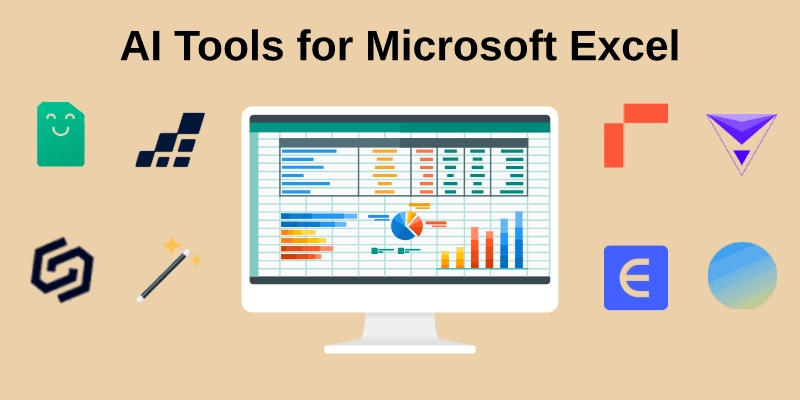
In this article, we explore 8 of the best AI tools for Microsoft Excel that improve speed, accuracy, and daily productivity.
Best AI Tools for Microsoft Excel
Modern spreadsheet users now depend on intelligent solutions to complete tasks quickly and accurately. These platforms reduce manual work and turn complex data into clear insights.
Here are some of the main AI spreadsheet tools that make Excel work faster and easier.
1. Ajelix AI
Ajelix AI Excel Assistant helps users create formulas and scripts without technical skills. It converts plain instructions into working Excel functions within seconds. The tool also supports data analysis and quick chart creation. It works through a simple interface that suits beginners and professionals.
Key Features
- Text-to-formula generator with instant output
- Automated VBA script builder support
- Clear data explanation with insights
- Smart chart suggestions for reports
Best for: Users who want fast formula creation without advanced knowledge
2. Formula Bot
Formula Bot helps users generate accurate Excel functions using simple text instructions. It translates plain language into structured formulas within moments. The platform also explains each function clearly so users understand the logic behind it. Its clean dashboard makes navigation easy for new and experienced users.
Key Features
- Natural language to Excel formula conversion
- Step-by-step function explanation support
- Error correction and optimization guidance
- Multi-platform spreadsheet compatibility
Best for: Individuals who need quick formula solutions without great technical skills
3. SheetAI
SheetAI connects artificial intelligence directly with spreadsheet cells to deliver dynamic results. It allows users to run AI prompts inside Excel and return outputs instantly. The tool supports content generation, classification, and data enrichment within worksheets. Its setup process remains simple for both small teams and independent users.
Key Features
- Direct AI prompts inside worksheet cells
- Automated text generation for entries
- Data categorization with structured output
- Bulk processing across selected ranges
Best for: Teams that need AI-powered data handling within active spreadsheets.
4. DataSnipper
DataSnipper streamlines data extraction and verification directly within Excel. It helps users pull information from documents, PDFs, and scanned files into structured sheets. The platform reduces manual cross-checking and speeds up auditing tasks. Its interface works seamlessly with large datasets and multiple file types.
Key Features
- Document and PDF data extraction made easy
- Automated cross-referencing for accuracy
- Batch processing of multiple files simultaneously
- Audit trail generation for verification purposes
Best for: Professionals handling document-heavy data and financial audits
5. PromptLoop
PromptLoop integrates AI directly into Excel to automate data analysis and reporting. It allows users to apply AI formulas, generate insights, and transform data in real time. The tool works with large datasets and can produce predictive outputs without extra coding. Its intuitive design helps beginners and experts implement AI functions quickly.
Key Features
- Real-time AI data analysis within Excel
- Custom AI formula generation for complex tasks
- Predictive modeling and trend detection
- Automated report creation and summarization
Best for: Users who want to apply AI-powered insights on large datasets efficiently.
6. Rows AI
Rows AI brings smart automation and AI-powered calculations directly into Excel workflows. It allows users to connect APIs, automate repetitive tasks, and generate insights without coding. The platform supports real-time collaboration, making it ideal for team projects. Its flexible interface adapts to both small spreadsheets and complex business models.
Key Features
- API integration for dynamic data updates
- Automated workflow and task management
- Real-time collaboration across team members
- Intelligent suggestions for formulas and calculations
Best for: Teams needing automated processes and collaborative Excel solutions.
7. PowerDrill AI
PowerDrill AI enhances Excel by providing advanced data analysis and visualization instantly. It helps users identify trends, generate insights, and summarize large datasets quickly. The tool supports scenario modeling and predictive analytics without complex formulas. Its simple interface allows both beginners and analysts to create insightful reports efficiently.
Key Features
- Trend analysis and forecasting made simple
- Interactive dashboards for quick visualization
- Predictive analytics without manual formulas
- Scenario modeling for business decisions
Best for: Analysts and managers who need fast insights from large datasets
8. Excelmatic AI
Excelmatic AI boosts productivity by automating repetitive Excel tasks and providing smart data suggestions. It helps users clean messy datasets, generate formulas, and create charts automatically. The platform also offers AI-driven insights to spot trends and anomalies quickly. Its user-friendly design makes it accessible for beginners and advanced users alike.
Key Features
- Automated data cleanup and organization
- AI-generated formulas for faster calculations
- Smart chart and graph suggestions
- Trend and anomaly detection in real time
Best for: Users looking to automate repetitive Excel tasks and gain actionable insights
Built-In AI Features in Microsoft Excel
Microsoft Excel now includes several powerful AI tools that make data analysis faster and easier. These built-in features help users generate formulas, explore data, clean sheets, and predict trends without extra software.
- Microsoft Copilot for Excel: Automates formulas and provides instant data insights.
- Analyze Data: Suggests patterns, charts, and summaries using natural language.
- AI-Assisted Data Extraction: Converts images and scanned documents into structured spreadsheets.
- Formula Suggestions & Auto-Cleanup: Offers smart formula recommendations and cleans messy data.
- Forecasting & Trend Predictions: Uses AI to predict trends and future outcomes in your datasets.
Conclusion
In this guide, we explored the best AI tools for Microsoft Excel and how they can make spreadsheets work faster and more accurately. These tools help streamline formula creation, data analysis, forecasting, and report generation, saving both time and effort. They provide intelligent suggestions, automated calculations, and real-time insights, and they require minimal technical skills.
Overall, adopting AI Excel automation tools for Microsoft Excel can significantly reduce manual effort, improve data accuracy, and enhance decision-making. As Excel continues evolving with AI capabilities, professionals who leverage these tools will gain a clear productivity advantage.
FAQs: AI Tools for Microsoft Excel
Yes, many AI spreadsheet tools like Formula Bot and Ajelix AI generate formulas from plain text instructions, saving time and reducing manual errors for complex calculations.
Most modern AI Excel tools support large spreadsheets, performing tasks like trend prediction, data cleaning, and bulk formula application without slowing down performance.
Yes, trusted AI tools like Microsoft Copilot and Rows AI follow strict security measures. Always check the privacy policy to ensure data protection, especially for financial or client records.
Absolutely. Tools such as SheetAI and Ajelix AI are designed for both beginners and professionals, offering simple interfaces and guided instructions to build formulas or analyze data.
PowerDrill AI and PromptLoop excel in data analysis and predictive modeling. They help users identify trends, forecast outcomes, and summarize large datasets efficiently.
Yes, several tools like SheetAI and Excelmatic AI automatically suggest charts and graphs, turning raw data into visual insights quickly without manual formatting.
Some tools offer free versions or trials, like Formula Bot and Ajelix AI, allowing users to test basic features before upgrading to paid plans for advanced functionality.






- Be Respectful
- Stay Relevant
- Stay Positive
- True Feedback
- Encourage Discussion
- Avoid Spamming
- No Fake News
- Don't Copy-Paste
- No Personal Attacks
- Be Respectful
- Stay Relevant
- Stay Positive
- True Feedback
- Encourage Discussion
- Avoid Spamming
- No Fake News
- Don't Copy-Paste
- No Personal Attacks
