AI Tools for PowerPoint Presentation to Boost Your Slide Design
Published: 24 Jan 2026
Presentation creation has changed with the rise of smart automation. AI tools for PowerPoint presentations simplify slide design and content generation. These tools handle layouts, visuals, and text without complex skills.
Professionals now rely on AI to meet tight deadlines and quality standards. Modern AI tools also support export, editing, and customization. In this article, I will cover the 10 best AI tools for PowerPoint presentations, useful for business, education, and marketing.
Top AI Tools for PowerPoint Presentation
Smart presentation software now helps users build slides with less effort and better results. AI-powered tools support content flow, visual balance, and slide organization.
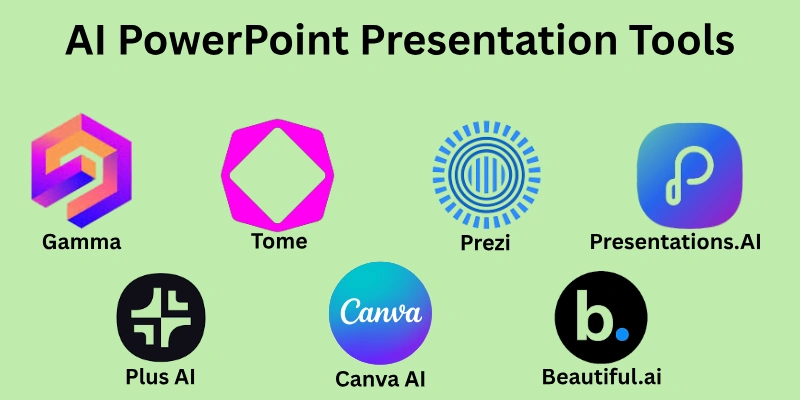
Here is the list of the best AI tools for PowerPoint presentations.
- Prezi
- Beautiful.ai
- Gamma
- Canva AI
- SlidesAI
- Presentations.AI
- Visme
- Tome
- Pitch
- Plus AI
Let’s take a look at one by one.
1. Prezi
Prezi offers a dynamic approach to presentations with zoomable, nonlinear slides. Users can create engaging visual stories that stand out from traditional slide decks. The platform supports interactive paths, embedded media, and collaborative editing. It is ideal for training sessions, workshops, and creative pitches.
Key Features:
- Zoomable, non-linear slide navigation.
- Interactive paths and embedded media.
- Collaborative editing for teams.
- Enhances engagement with motion-based visuals.
Pricing Plan:
- Free plan with basic features
- An individual plan starts around $15 per month
- Business and team plans available
Pricing may vary depending on region and subscription type
2. Beautiful.ai
Beautiful.ai allows users to design clean slides without worrying about layout issues. The tool automatically adjusts elements to keep every slide visually balanced. It reduces manual formatting and improves presentation flow. This platform suits business users who want professional results with less effort.
Key Features:
- Smart layout adjustment system.
- Professional business slide templates.
- Automatic spacing and alignment.
- Consistent visual design across slides.
Pricing Plan:
- Free trial available
- Pro plan starts around $12 per month
- Team plans available for companies
Pricing may vary based on plan and region.
3. Gamma
Gamma turns text and outlines into ready-to-use slides in minutes. It focuses on clean presentation structure and easy readability. Users can quickly generate decks for meetings, reports, or pitches. The tool supports export to PowerPoint or PDF for seamless sharing.
Key Features:
- Fast text-to-slide conversion
- Modern, minimalistic slide designs
- PowerPoint and PDF export
- Easy-to-use drag-and-drop editor
Pricing Plan:
- Free plan with limited features
- Plus, the plan is around $10 per month
- Pro plan with advanced options
For the most up-to-date pricing, please refer to the official website.
4. Canva AI
Canva AI helps users create visually appealing slides quickly using simple prompts. It provides design suggestions, images, and layouts in a single workspace. The platform is suitable for marketing decks, classroom presentations, and quick project reports.
Key Features:
- AI-powered design recommendations.
- Large library of templates and visuals.
- Customizable fonts, colors, and graphics.
- Easy PowerPoint export.
Pricing Plan:
- Free plan available with basic features
- Pro Plan $12.99 per month – Full AI tools and unlimited storage.
- Team plan for collaboration
Pricing may vary based on region and subscription type.
5. SlidesAI
SlidesAI transforms written content into fully formatted slides in a few clicks. Users can paste notes or provide topics, and the tool generates professional layouts automatically. It works well for lectures, business updates, or quick briefing decks. Exporting to PowerPoint or Google Slides is seamless.
Key Features:
- Converts text into slides instantly.
- Ready-made slide templates.
- Supports Google Slides and PowerPoint.
- Simplifies content-to-slide workflow.
Pricing Plan:
- Free plan with limited usage
- Pro plans start around $10 per month
- The premium plan starts around $20 per month
Pricing may change depending on updates and location.
6. Presentations. AI
Presentations.AI helps users turn ideas into structured slide decks quickly. Users can choose from multiple modern templates and add visuals with ease. The platform is ideal for business pitches, project updates, and team presentations. Collaboration features allow multiple people to work on the same deck seamlessly.
Key Features:
- Organizes content into a clear story flow.
- Variety of professional templates.
- Easy addition of visuals and charts.
- Collaboration support for teams.
Pricing Plan:
- Free trial available with basic features
- Pro plans vary based on usage and start around $198 per month
- Advanced team plans offered
Pricing may differ by region and plan.
7. Visme
Visme allows users to create engaging presentations with interactive visuals and charts. The platform offers a wide variety of templates for business, education, and marketing purposes. Users can add infographics, icons, and data visualizations to make slides more impactful. Visme is useful for storytelling and presenting complex information clearly.
Key Features:
- Interactive visuals and charts.
- Extensive template library.
- Infographics and icon integration.
- PowerPoint export and online sharing.
Pricing Plan:
- Free plan available with limited features
- Starter plan around $29 per month
- Business and team plans available
Current pricing is available on the official site and may change without notice.
8. Tome
Tome helps users craft presentations that focus on storytelling and narrative flow. It turns ideas into visually appealing slides with minimal effort. The platform supports adding images, layouts, and multimedia to make presentations more engaging. It is ideal for pitches, creative projects, and educational sessions.
Key Features:
- Story-driven slide creation.
- Visual layouts and multimedia support.
- Online sharing and offline export.
- Easy-to-use interface for fast deck building.
Pricing Plan:
- Free plan with basic features
- Pro plan starts around $10 per month
- Business plans available for teams
Pricing may vary depending on region and updates.
9. Pitch
Pitch is designed to help users create polished presentations quickly. It allows teams to collaborate in real time while maintaining a consistent slide design. The platform includes modern templates, charts, and visual elements to make content clear and engaging.
Key Features:
- Real-time collaboration for teams.
- Modern templates and visuals.
- Clear charts and data integration.
- Direct presentation or export options.
Pricing Plan:
- Free plan available for individuals
- Pro plan around $20 per month
- Enterprise plans with advanced features
Prices may change without notice. Refer to the official website for current details.
10. Plus AI
Plus AI helps users enhance existing presentations with improved clarity and structure. It suggests better wording, reorganizes slides, and ensures a smooth flow of ideas. The platform supports both PowerPoint and Google Slides for seamless integration. It is especially useful for refining reports, proposals, and client decks. Plus AI saves time while maintaining professional slide quality.
Key Features:
- Refines slide content and structure.
- Suggests improved wording and flow.
- Compatible with PowerPoint and Google Slides.
- Enhances professional presentation quality.
Pricing Plan:
- Free trial available with limited features
- Paid plans start around $15 per month
- Team and enterprise options offered
Pricing may change depending on updates and region.
How to Choose the Right AI Tool
The right AI tool depends on how and why it will be used. Different tools serve different needs, skill levels, and budgets. A clear understanding of goals helps in making the best choice.
Key Factors to Consider:
- Skill level: Choose a tool that matches your experience and learning comfort.
- Purpose of use: Select a tool based on whether the slides are for work, study, or marketing.
- Budget range: Pick an option that fits your cost limits without losing key features.
- Design needs: Use tools that support the visual style your presentation requires.
- Collaboration needs: Teams should prefer tools that allow shared editing and feedback.
- Export options: Ensure the tool supports PowerPoint or the required file formats.
Each of these points helps narrow down the best option. Beginners may prefer simple tools, while professionals often need advanced controls.
Conclusion
In this article, I covered the most reliable AI tools for PowerPoint presentations that help users create professional slides faster. These tools improve content structure, slide design, and overall presentation quality. They are widely used for business meetings, academic work, and professional reports. AI-powered presentation tools reduce manual effort while maintaining visual consistency.
Choose one tool that matches your workflow and presentation goals. From my experience, when used with clear direction and review, AI tools for PPT can turn average slides into impactful presentations that truly deliver results.
FAQs
Here are some frequently asked questions about AI tools for PowerPoint presentations.
AI-powered presentation tools analyze input text or prompts to generate slides. They arrange content logically and apply suitable designs. Most tools also allow manual editing afterward.
Yes, most tools for creating presentations are designed for beginners. They offer simple interfaces and ready templates. Users can create slides without design experience.
The best AI tool to make a PPT depends on business needs like speed, branding, and collaboration. Some tools focus on structure, while others improve visual quality. Testing features helps find the right fit.
An AI presentation creator can handle most basic tasks efficiently. However, human review is still important for accuracy and tone. ai works best as a support tool, not a full replacement.
AI-powered presentation tools improve speed and consistency. They help users focus more on ideas instead of formatting.
- Faster slide creation
- Clean visual structure
- Reduced manual effort
Most tools for creating presentations follow standard data protection practices. Users should still avoid uploading sensitive data. Always check privacy policies before use.
Many AI Tools for PowerPoint presentations offer team collaboration features. These allow shared editing and feedback.
Common collaboration options include:
- Real-time editing
- Commenting tools
- Version control
Yes, most ai powered presentation tools support PowerPoint export. This allows further editing in Microsoft PowerPoint.
Supported formats often include:
- PPTX
- Online sharing links



- Be Respectful
- Stay Relevant
- Stay Positive
- True Feedback
- Encourage Discussion
- Avoid Spamming
- No Fake News
- Don't Copy-Paste
- No Personal Attacks
- Be Respectful
- Stay Relevant
- Stay Positive
- True Feedback
- Encourage Discussion
- Avoid Spamming
- No Fake News
- Don't Copy-Paste
- No Personal Attacks
