Best AI Tools for Students to Enhance Learning Today
Published: 30 Jan 2026
More than 80 percent of college students now use AI tools in their daily studies. AI tools for student learning have changed how assignments, research, and revision work. Students save hours by using smart writing, study, and planning tools.
I have personally tested many of these tools while helping students improve grades and time control. The right tools support thinking instead of replacing effort. They help students stay focused, organized, and confident.
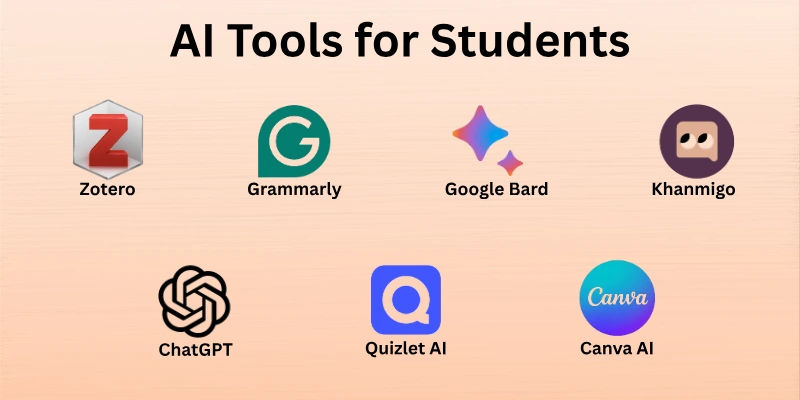
In this article, we explore the 7 best AI tools for students that improve learning without breaking academic rules.
Top AI Tools for Students
AI tools help students study smarter, save time, and improve learning outcomes. These tools support research, writing, exam preparation, and daily academic tasks.
Here are the top AI tools for students that make learning easier and more effective.
- ChatGPT
- Grammarly
- Canva AI
- Google Bard
- Khanmigo
- Zotero
- Quizlet AI
Let’s look at them in detail.
1. ChatGPT
ChatGPT helps students learn faster by explaining concepts in simple language. It supports homework help, research guidance, writing assistance, and exam preparation. Students can ask questions, summarize topics, and generate ideas across many subjects. It also helps improve clarity, structure, and confidence in academic work. This makes it a popular choice for learners at every level.
Here are the key features that make this tool helpful:
- Homework Support: Explains answers step-by-step for better understanding.
- Writing Help: Improves essays, assignments, and reports.
- Study Assistance: Summarizes chapters and key concepts quickly.
- Idea Generation: Helps brainstorm topics and project outlines.
Best for: Writing assignments, understanding concepts, and exam preparation.
2. Grammarly
Grammarly helps students write clear and error-free content for assignments and emails. It checks grammar, spelling, and sentence clarity in real time. The free version covers essential writing corrections for daily academic use. Students can improve confidence in writing without advanced technical skills. It works across browsers, documents, and email platforms.
Here are the strengths of Grammarly:
- Grammar Check: Fixes spelling and punctuation instantly.
- Clarity Suggestions: Improves sentence readability.
- Tone Detection: Adjusts writing style for academic needs.
- Browser Extension: Works on multiple websites and tools.
Best for: Writing refinement, academic assignments, and professional communication.
3. Canva AI
Canva AI helps students create visually appealing presentations, posters, and infographics. It offers AI-powered design suggestions, templates, and image generation tools. The free version includes basic design elements and templates suitable for school projects. Students can easily make creative assignments without advanced design skills. It works online and supports collaborative projects.
Key Features of Canva AI:
- Templates: Ready-made designs for presentations and posters.
- AI Image Generator: Creates visuals from simple text prompts.
- Collaboration: Work together with classmates in real time.
- Design Suggestions: Offers layout and color recommendations.
Best for: Visual projects, presentations, and creative assignments.
4. Google Bard
Google Bard helps students generate ideas, summaries, and explanations quickly. It can answer questions, provide study notes, and simplify complex topics. The free version is accessible to all students with a Google account. It works in real time and supports research and homework tasks efficiently. Students can use it across devices without installing additional software.
Here are the key features of Google Bard:
- Idea Generation: Brainstorm topics for essays and projects.
- Summarization: Condenses lengthy texts into key points.
- Homework Help: Provides clear explanations for difficult concepts.
- Cross-Device Access: Use on phones, tablets, or laptops.
Best for: Research, topic exploration, and assignment preparation.
5. Khanmigo
Khanmigo is an AI-powered learning assistant designed for students to practice subjects like math, science, and languages. It provides hints, step-by-step solutions, and explanations to improve understanding. The free version includes basic practice exercises and guided learning support. Students can interact with it to clarify doubts and strengthen concepts. It integrates seamlessly with Khan Academy resources for enhanced learning.
Here are the main features Khanmigo does well:
- Step-by-Step Solutions: Guides students through problems methodically.
- Subject Support: Covers math, science, and language practice.
- Hints & Tips: Offers suggestions to solve challenging questions.
- Khan Academy Integration: Links exercises with relevant learning material.
Best for: Tutoring, practice exercises, and concept mastery.
6. Zotero
Zotero helps students manage research sources and create citations automatically. It organizes articles, books, and web pages into collections for easy reference. The free version supports basic library management and citation generation. Students can save time while writing essays, reports, or research papers. It works across browsers and integrates with word processors for convenience.
Let’s see the main features of Zotero:
- Reference Management: Store and organize research materials efficiently.
- Citation Generation: Create accurate citations in multiple styles.
- Browser Integration: Save sources directly from web pages.
- Collaboration: Share libraries with classmates for group projects.
Best for: Research organization, citations, and bibliography management.
7. Quizlet AI
Quizlet AI helps students study efficiently by creating flashcards, quizzes, and practice tests. It uses AI to suggest important concepts and generate personalized study sets. The free version allows unlimited flashcards and basic test features. Students can revise faster and retain information more effectively. It works across devices, making studying flexible and accessible anywhere.
Let’s see the features of Quizlet AI:
- Flashcards: Create and review key concepts quickly.
- Personalized Study Sets: AI recommends focus areas based on learning needs.
- Practice Tests: Test knowledge with automatically generated quizzes.
- Multi-Device Access: Study on phones, tablets, or computers.
Best for: Memorization, exam prep, and daily review.
Why Today’s Students Need AI Tools
Over the past few years, student workloads have grown heavier and more stressful. I remember staying up late trying to finish research and essays on time. Today, AI tools help students manage tasks more efficiently and focus on learning rather than repetitive work.
- Managing Deadlines: AI helps organize assignments and reminders so students don’t miss important submissions.
- Faster Research: Summarizing articles, finding sources, and generating ideas can happen in minutes instead of hours.
- Writing Support: Tools assist with drafting, editing, and improving clarity without replacing student effort.
- Study Planning: AI can suggest schedules, flashcards, and practice exercises for effective learning.
- Understanding Complex Topics: Difficult subjects become easier to grasp with AI explanations and examples.
These tools let students spend more time understanding material and less time struggling with repetitive tasks.
Ethical & Responsible Use of AI in Education
Using AI wisely means getting help without taking shortcuts that harm learning. When students first asked if AI could “do all the work,” it was tempting, but the goal should be guidance, not replacement.
- Maintain Academic Integrity: Use Artificial Intelligence to support research, draft ideas, or check clarity, not to submit work you didn’t create.
- Educator Expectations: Teachers generally accept AI as a learning tool, but it should complement effort, not replace it.
- Balance Practice: Combine AI suggestions with personal understanding to strengthen skills.
- Workflow Integration: Incorporate AI into note-taking, revision, or brainstorming while still actively engaging with the material.
By following these practices, students can benefit from technology while keeping learning authentic and meaningful.
Conclusion
In this guide, we explored the 7 best AI tools for students that can make studying more efficient and manageable. AI-powered study tools improve productivity and provide instant guidance for better learning outcomes. But overreliance on AI can reduce critical thinking, creativity, and the development of independent problem-solving skills. It’s important to use them as support, not a replacement for personal effort.
With the right tools and by using them responsibly, students can enhance their learning journey while maintaining academic integrity. With careful use, AI tools for students can truly empower growth, efficiency, and confidence in studies.
FAQs
Here are some frequently asked questions about AI tools for students.
The best AI tools for students include ChatGPT, Grammarly, and Quizlet AI. These AI learning tools help with writing, research, and memorization, making studying AI tasks faster and more effective.
An AI tool for studying can generate outlines, explain concepts, and suggest improvements in essays. Students’ AI tools like ChatGPT and Grammarly assist in producing high-quality work while saving time.
Yes, AI-powered study tools are safe when used responsibly. They provide guidance for research and writing without replacing learning, making them ideal for studying AI tool purposes.
AI learning tools like Quizlet AI and Khanmigo can create flashcards, quizzes, and practice problems. They help students understand topics quickly and focus on weak areas for efficient studying in AI sessions.
Yes, students’ AI tools often have collaboration features that allow sharing notes, research, and drafts. AI studying tools make teamwork smoother and more efficient.
AI tools for studying can assist in multiple subjects, from math to literature. AI learning tools adapt explanations to different topics, making them versatile for studying AI tasks.
AI learning tools use artificial intelligence to provide smart suggestions, summaries, and practice exercises. Unlike regular study tools, an AI study tool adapts to your learning style.
No, AI tools are meant to supplement learning, not replace it. They work best when combined with reading, note-taking, and active engagement in studying AI activities.





- Be Respectful
- Stay Relevant
- Stay Positive
- True Feedback
- Encourage Discussion
- Avoid Spamming
- No Fake News
- Don't Copy-Paste
- No Personal Attacks
- Be Respectful
- Stay Relevant
- Stay Positive
- True Feedback
- Encourage Discussion
- Avoid Spamming
- No Fake News
- Don't Copy-Paste
- No Personal Attacks
